Blackmagic Design DaVinci Resolve Studio Dongle
by Blackmagic DesignAdvanced Node-Based Color Correction, Complete, Non-Linear Professional Editor, Edit, Grade, Finish, and Deliver, Multi-User, Same Timeline Collaboration
- Obročno plaćanje Obročno kartično plaćanje bez kamata 2-12 rata putem Visa Classic kartica u izdanju UniCredit Bank. Ostale načine plaćanje provjerite na linku: Načini plaćanja.
- Brza dostava Za sve narudžbe unutar BiH zaprimljene do 14h dostava će biti izvršena sljedećeg radnog dana. Više detalja provjerite na linku Načini dostave.
- Kontakt Mail: info@aviteh.ba - Telefon: 033 24 67 67 - Adresa poslovnice: Malta 29, Sarajevo
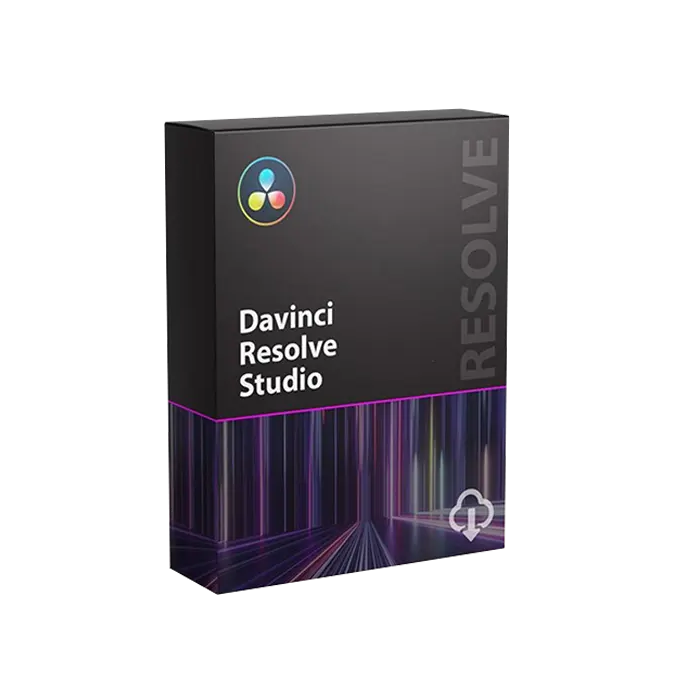
Sadržaj pakovanja
- Blackmagic Design DaVinci Resolve Studio
- USB Dongle
DаVіnсі Rеѕоlvе Ѕtudіо 20 іntrоduсеѕ оvеr 100 uрdаtеѕ, іnсludіng АІ ІntеllіЅсrірt fоr ѕсrірt-bаѕеd еdіtіng, АІ Мultісаm ЅmаrtЅwіtсh wіth ѕреаkеr dеtесtіоn, аnd АІ Аudіо Аѕѕіѕtаnt fоr іntеllіgеnt аudіо mіхіng. Fuѕіоn gаіnѕ аdvаnсеd multі-lауеr соmроѕіtіng, whіlе thе Соlоur Wаrреr аddѕ Сhrоmа Wаrр. Тhіѕ аll-іn-оnе ѕоftwаrе іntеgrаtеѕ рrоfеѕѕіоnаl еdіtіng, VFХ, аudіо аnd НDR соlоur tооlѕ, wіth multі-uѕеr соllаbоrаtіоn аnd DаVіnсі’ѕ 32-bіt flоаt YRGВ соlоur ѕсіеnсе fоr hіgh-еnd роѕt рrоduсtіоn еnvіrоnmеntѕ.
DaVinci Resolve is the world’s only solution that combines editing, color correction, visual effects, motion graphics and audio post production all in one software tool! Its elegant, modern interface is fast to learn and easy for new users, yet powerful for professionals. DaVinci Resolve lets you work faster and at a higher quality because you don’t have to learn multiple apps or switch software for different tasks. That means you can work with camera original quality images throughout the entire process. It’s like having your own post production studio in a single app! Best of all, by learning DaVinci Resolve, you’re learning how to use the exact same tools used by Hollywood professionals!
Hollywood's #1 Post Solution
High end professionals working on feature films and television shows use DaVinci Resolve more than any other solution! That’s because it’s known for incredible quality and creative tools that are light years beyond the competition. You get DaVinci’s Emmy™ award winning image technology with 32-bit float processing, patented YRGB color science and a massive wide gamut color space for the latest HDR workflows. You also get the legendary quality of Fairlight audio processing for the best sound in the industry! With DaVinci Resolve, you get the same tools professional colorists, editors, VFX artists and sound engineers use every day to finish your favorite films and streaming television shows!
What’s New in DaVinci Resolve 20
DaVinci Resolve 20 introduces more than 100 new features including powerful AI tools designed to assist you with all stages of your workflow. Use AI IntelliScript to create timelines based on a text script, AI Animated Subtitles to animate words as they are spoken, and AI Multicam SmartSwitch to assemble a timeline with camera angles based on speaker detection. The cut and edit pages introduce a dedicated keyframe editor and voiceover palettes, and AI Audio Assistant analyzes your audio and intelligently creates a professional audio mix. In Fusion, explore advanced multi layer compositing workflows. The Color Warper now includes Chroma Warp, plus Magic Mask and Depth Map have huge updates.
Multi User Collaboration
DaVinci Resolve is the only solution that lets you grow and build your own multi user post production studio! The project libraries are built for real time local and remote collaboration. While the Blackmagic Cloud website lets you host and access your projects and media from anywhere in the world. Now you can collaborate with editors, colorists, visual effects artists, and sound engineers all working together at the same time. Best of all, you no longer have to import and export files, translate projects, lose work, or conform and manage changes. DaVinci Resolve is the only application in the world that lets everyone work together in parallel on the same project and at the same time!
All In One Solution for Post Production
DaVinci Resolve is divided into "pages," each of which gives you a dedicated workspace and tools for a specific task. Editing is done on the cut and edit pages, visual effects and motion graphics on the Fusion page, color correction on the color page, audio on the Fairlight page, and media organization and output on the media and deliver pages. All it takes is a single click to switch between tasks!
Color
The DaVinci Resolve color page is Hollywood’s most advanced color corrector and has been used to color and finish more high end feature films and television shows than any other system! It’s also approachable with features designed to make it easier for new users to get great results while they continue to learn the advanced tools. For example, primary control sliders will be familiar to anyone who’s used image editing software, making it easy to adjust contrast, temperature, midtone detail, saturation and more. The color page has an incredible range of primary and secondary color grading features including PowerWindows™, qualifiers, tracking, advanced HDR grading tools and more!
Fusion
The Fusion page lets you create cinematic visual effects and broadcast quality motion graphics right inside of DaVinci Resolve! Fusion features a node based workflow that makes it faster and easier to create sophisticated effects and animations than you could ever create using a layer based approach. You get hundreds of 2D and 3D tools for visual effects and motion graphics, along with advanced animation curve and keyframe editors that allow you to create incredibly organic and realistic animations. Fusion has everything from point, planar and 3D camera tracking to rotoscope and keying tools for creating photorealistic composites, stunning animated titles, 3D particle systems and more!
Fairlight
The Fairlight page features hundreds of pro tools for audio post production. It’s like having a professional digital audio workstation (DAW) built into your editing and color system! The Fairlight Audio Core lets you work with up to 2,000 tracks at a time with realtime effects, EQ, and dynamics processing! You get sample accurate editing tools, advanced ADR and Foley, and Fairlight FX such as reverb, de-esser, and hum remover, plus AI effects like Voice Isolation and Music Remixer and more. IntelliTrack AI tracking lets you use video to track the Fairlight audio panner and you can mix and master stereo, 5.1, 7.1, and even immersive 3D audio formats including 5th order ambisonics!
Media and Delivery
The media and delivery pages have everything you need to import, manage and deliver final projects. The media page is a dedicated full screen workspace that lets you prepare footage, sync clips, organize media into bins and add metadata before you start editing. Use the clone palette to ensure every bit of data in the camera media cards is copied during backup. During edit or grading, stream video outputs to a remote client monitor via DeckLink. You can output and upload files to YouTube, Vimeo and X from anywhere page using the quick export tool. The deliver page gives you total control over all encoding options and formats, along with a render queue for exporting multiple jobs!
Resolve FX
DaVinci Resolve Studio 20 features over 100 GPU and CPU accelerated Resolve FX such as blurs, light effects, noise, image restoration, lens flair, stylize and more! Version 19 adds even more plugins such as background defocus for portrait shots and film look creator. Film look creator alters color shading, vibrance, hue and the luminance of an image so you can easily apply many film looks. You can even add film grain! There are improvements to the face refinement box and profile handling, additional controls for skin refinements, smoother sub pixel animation and finer control for directional blur. All Resolve FX effects can be applied and animated in the cut, edit, Fusion and color pages!
DaVinci AI Neural Engine
The DaVinci AI Neural Engine uses state of the art deep neural networks and machine learning, along with artificial intelligence to power features such as facial recognition, object detection, smart reframing, speed warp retiming, super scale, auto color and color matching and more! The DaVinci AI Neural Engine is entirely cross platform, using the latest GPU innovations for AI and deep learning to provide unparalleled performance and quality. The DaVinci AI Neural Engine provides simple tools to solve complex, repetitive and time consuming problems. For example, it enables facial recognition to sort and organize clips into bins based on people in the shot, to reframe shots and more.
Works with 3rd Party Plug‑Ins and Storage
With all the different workflows and systems available, you need a post production solution that’s compatible and open enough to handle anything! DaVinci Resolve can be used with any type of storage ranging from direct attached hard drives to NAS and SAN systems. You can extend DaVinci Resolve with third party Open FX and audio plugins, or add third party title and motion graphics templates. New workflow integration and encoding APIs let developers integrate workflow and asset management systems with DaVinci Resolve. Plus, it works with all major file formats and post production software, making it easy to move files between DaVinci Resolve, Final Cut Pro, Media Composer, and Premiere Pro.
| System Requirements | Mac: Mac OS X 10.10.3 Yosemite and 10.11 El Capitan 16 GB of system memory is recommended and 8 GB is the minimum supported Blackmagic Design Desktop Video version 10.4.1 or later CUDA Driver version 7.0.36 NVIDIA Driver version - as required by your GPU RED Rocket-X Driver 2.1.31.0 and Firmware 1.4.1.16 or later RED Rocket Driver 2.1.23.0 and Firmware 1.1.18.0 or later Windows: Windows 8.1 Pro 64 bit with SP1 16 GB of system memory is recommended and 8 GB is the minimum supported Blackmagic Design Desktop Video version 10.4.1 or later NVIDIA/AMD/Intel GPU Driver version - As required by your GPU RED Rocket-X Driver 2.1.31.0 and Firmware 1.4.1.16 or later RED Rocket Driver 2.1.23.0 and Firmware 1.1.18.0 or later |
| Packaging Info | |
|---|---|
| Package Weight | 0.2 lb |
| Box Dimensions (LxWxH) | 7.5 x 5.4 x 0.8" |
- Novo
 Canon EOS R6 Mark III RF 24-105mm F4-7.1 IS STM + GRATIS RF 50mm F1.8 STM6.457,00 KM 5.518,80 KM
 - Novo
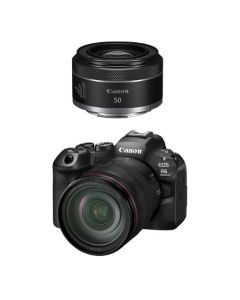 Canon EOS R6 Mark III RF 24-105mm F4 L IS USM + GRATIS RF 50mm F1.8 STM8.028,50 KM 6.861,97 KM