Sigma USB DOCK F/SONY
by SigmaUpdate Lens Firmware and Adjust Settings
For Use with Sigma Global Vision Lenses
Compatible with Sony A-Mount Lenses
- Obročno plaćanje Obročno kartično plaćanje bez kamata 2-12 rata putem Visa Classic kartica u izdanju UniCredit Bank. Ostale načine plaćanje provjerite na linku: Načini plaćanja.
- Brza dostava Za sve narudžbe unutar BiH zaprimljene do 14h dostava će biti izvršena sljedećeg radnog dana. Više detalja provjerite na linku Načini dostave.
- Kontakt Mail: info@aviteh.ba - Telefon: 033 24 67 67 - Adresa poslovnice: Malta 29, Sarajevo

Sadržaj pakovanja
- Sigma USB Dock for Sony A-Mount Lenses
The Sigma USB Dock allows you to connect your Sigma Global Vision lenses to your computer in order to update firmware and adjust focus setting parameters using the Sigma Optimization Pro software.
This dock is only compatible with the Sigma Art, Contemporary, and Sports line lenses featuring a Sony A lens mount.
Sigma Optimization Pro
Once a Sigma Art, Contemporary, or Sports line lens is connected, you can use the Sigma Optimization Pro software to configure focus settings and update lens firmware.
Focus Settings
For all lines of lenses, there are four categories for prime lenses and 16 categories (four options for focal length, four options for shooting distance) for zoom lenses available. These categories allow you to set certain focusing settings to better suit your personal shooting style.
Sports Line-Specific Settings
If using a Sports line lens, additional lens configurations are available: three different AF speed modes to modify how quickly the lens changes focus; the ability to constrain focus distances within a specific range to suit your personal shooting habits; and three Optical Stabilizer modes to suit the manner in which you are shooting.
| Compatibility | Sigma Global Vision lens with Sony A lens mount |
| Windows System Requirements | Core2Duo or faster processor Windows 7 or 8 1 GB of available hard drive space or more 24-bit graphics card (approx. 16.7 million colors) 1024 x 768 or higher screen resolution USB 1.1 as standard |
| Mac System Requirements | Intel processor with either Mac OS X 10.7 or 10.8 1 GB of RAM or more 1 GB of available hard drive space or more 24-bit graphics card (approx. 16.7 million colors) 1024 x 768 or higher screen resolution USB 1.1 as standard |
- Novo
- -10%Novo
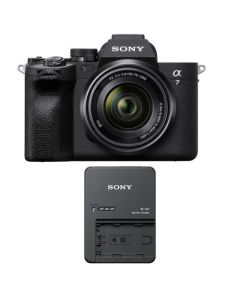 Sony Alpha a7 IV Camera with 28-70mm Lens + BC-QZ1 ChargerNormalna cijena 4.979,00 KM Posebna cijena 4.457,00 KM 3.809,40 KM
 - -11%Novo
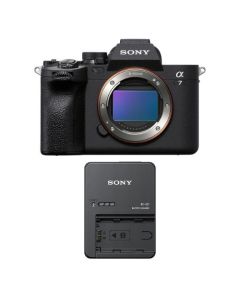 Sony Alpha a7 IV Camera Body + BC-QZ1 ChargerNormalna cijena 4.596,00 KM Posebna cijena 4.073,00 KM 3.481,20 KM
 - -5%Novo
 Sony ZV-1 II Digital Camera + GP-VPT3 Wireless Shooting Grip/TripodNormalna cijena 2.077,50 KM Posebna cijena 1.973,00 KM 1.686,32 KM
 - -29%Novo
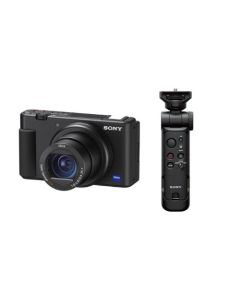 Sony ZV-1 Digital Camera + GP-VPT3 Wireless Shooting Grip/TripodNormalna cijena 1.713,50 KM Posebna cijena 1.206,00 KM 1.030,77 KM
 - -12%Novo
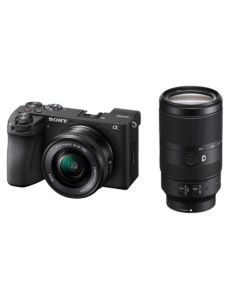 Sony Alpha a6700 with 16-50mm Lens + 70-350mm F4.5-6.3Normalna cijena 4.820,50 KM Posebna cijena 4.227,00 KM 3.612,82 KM
 - Novo

- Novo

![RED V-RAPTOR [X] 8K VV Production Pack (V-Lock)](https://www.aviteh.ba/media/catalog/product/cache/95a7fd5b9e1ea9fcc7fddf705a92315d/1/7/1719222314_1832298.jpg)