NiSi Smartphone IP-A Holder For iPhone
by NisiStack up to 3 circular NiSi IP-A filters
No Vignetting on 0.5X (Two Circular IP-A Filters)
- Obročno plaćanje Obročno kartično plaćanje bez kamata 2-12 rata putem Visa Classic kartica u izdanju UniCredit Bank. Ostale načine plaćanje provjerite na linku: Načini plaćanja.
- Brza dostava Za sve narudžbe unutar BiH zaprimljene do 14h dostava će biti izvršena sljedećeg radnog dana. Više detalja provjerite na linku Načini dostave.
- Kontakt Mail: info@aviteh.ba - Telefon: 033 24 67 67 - Adresa poslovnice: Malta 29, Sarajevo
Sadržaj pakovanja
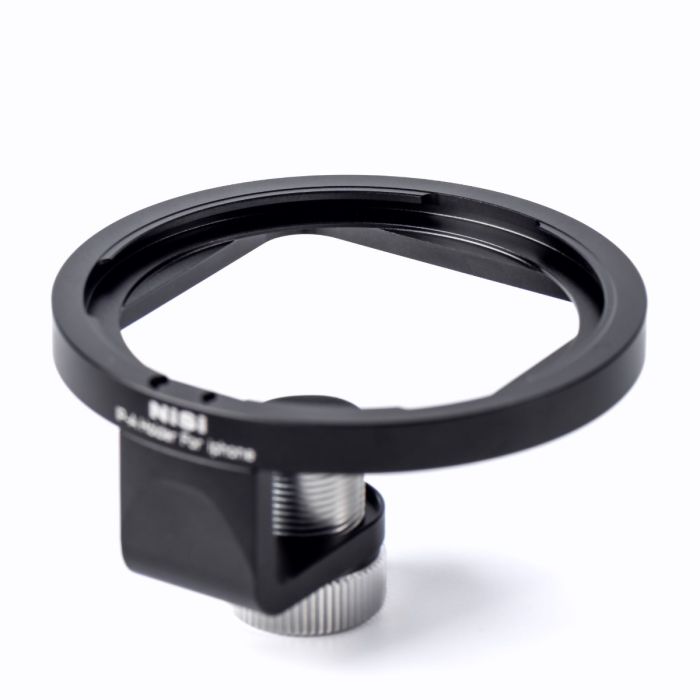
- 1x NiSi Smartphone IP-A Holder For iPhone
The NiSi IP-A Filter Holder for iPhone® brings filters to your iPhone® through NiSi’s quick and easy patented bayonet mount. Specifically designed for iPhone, the IP-A Filter holder is attached to the top of the phone, and the locking screw attaches to the front of the phone, securing the filter holder. The registration hole attaches to the back of the phone, aligning with the registration hole. Turn the locking screw clockwise until the IP-A holder is secure.
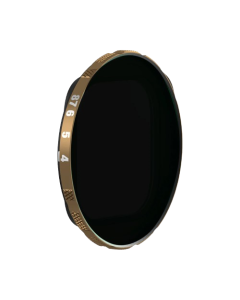
The NiSi IP-A Filter Holder for iPhone® is compatible with NiSi IP-A circular filters and NiSi P2 square filter holder. Stack up to 3 circular NiSi IP-A filters (sold separately) to the filter holder with no vignetting using 0.5X camera mode while using two circular IP-A Filters. To install NiSi IP-A, circular filters align the circular filter bayonet to three installation positions. Ensure that the outer bayonet of the filter aligns with the IP-A holder slot and turn clockwise to tighten. If multiple filters need to be installed, align the three bayonets on the second round filter with the three holes on the filter clip slot fixed on the IP-A holder. Ensure that the outer bayonets of the filter are completely aligned with the round filter clip slot, then turn clockwise to tighten.
Attach the NiSi P2 Square filter holder (Sold Separately) to the NiSi IP-A to bring square filters to your iPhone. To install the square filter holder, align the three bayonets on the square filter holder with the three holes on the IP-A holder. Ensure that the outer bayonets of the square filter holder completely align with the IP-A holder, then turn clockwise to tighten.
| Compatible Filters |
NiSi IP-A Circular Filters
|
| Compatible Holders |
NiSi P2 Square Filter Holder
|
| compatible-phones |
All iPhones
|
- Novo
- Novo