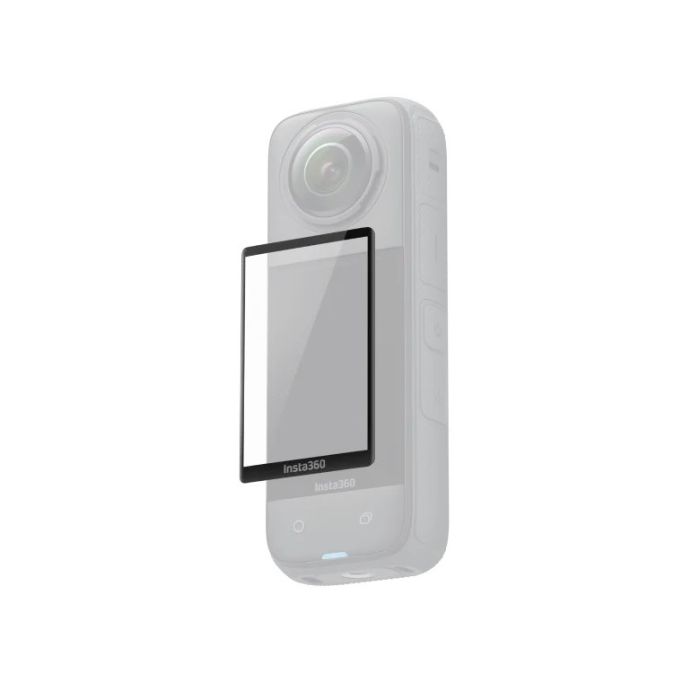
Insta360 X4 Screen Protector
by Insta360
Raspoloživost Sarajevo:
Dostupno
SKU
CINSBBMD
Clear display, extra protection.
33,00 KM
28,21 KM
- Obročno plaćanje Obročno kartično plaćanje bez kamata 2-12 rata putem Visa Classic kartica u izdanju UniCredit Bank. Ostale načine plaćanje provjerite na linku: Načini plaćanja.
- Brza dostava Za sve narudžbe unutar BiH zaprimljene do 14h dostava će biti izvršena sljedećeg radnog dana. Više detalja provjerite na linku Načini dostave.
- Kontakt Mail: info@aviteh.ba - Telefon: 033 24 67 67 - Adresa poslovnice: Malta 29, Sarajevo
Sadržaj pakovanja
- 1x Screen Protector
- 1x Alignment Tool
- 1x Scraper
- 1x Film Removal Stick
- 1x Protector Application Kit* (*Protector Application Kit contains: 1x Screen Cleaning Wipe, 1x Screen Cloth, 1x Dust Removal Sticker)
Clear display, extra protection.
- Custom curved design for a precise fit with flawless coverage.
- Strong tempered glass for greater protection.
- High-definition display and crystal clear transparency.
- Comes with a Protector Application Kit.
Fits like a glove.
Custom-designed for X4 to fit every inch of the screen perfectly. No spot left uncovered.
Extra protection for your camera.
High-strength tempered glass that's impact and scratch-resistant. Don't worry 'bout a thing.
Take no notice.
With more than 90% light transmission, you get the same clarity and brightness from your X4. It's like it's not even there.
Compatibility
- X4
How to Use
Installation
- Clean the screen using the screen cleaning wipe and screen cloth. Use the dust removal sticker to ensure the screen is clear of dirt.
- Position the alignment tool in line with the camera screen.
- Remove the film from the screen protector. Position the screen protector over the screen using the alignment tool, aligning the "Insta360" end of the screen protector with the "Insta360" end of the camera screen. Slowly move the screen towards the protector until it is covered, then remove the alignment tool. Avoid pressing down on the middle of the screen protector, as it could trap air bubbles underneath.
- Scrape from the lens end of the screen protector towards the "Insta360" end until the air bubbles are completely removed.
*Notes
- When removing air bubbles, scrape them from the lens end of the screen protector towards the "Insta360" end to prevent air bubbles from forming.
- Do not reinstall the same screen protector. Any dust that has collected on the screen protector may cause air bubbles and reduce adhesiveness.
- If the screen protector moves during installation, use the film removal stick to remove the screen protector and repeat the steps above. Do not completely remove the installed screen protector.
| Material | Tempered glass |
| Weight | 2.9g (0.1oz) |
| Dimensions | 39.4x61.2x0.9mm (1.55x2.4x0.03in) |
Izdvojeni proizvodi
- Novo
- Novo
- Novo
- Novo
- Novo
- Novo
- Novo
- Novo