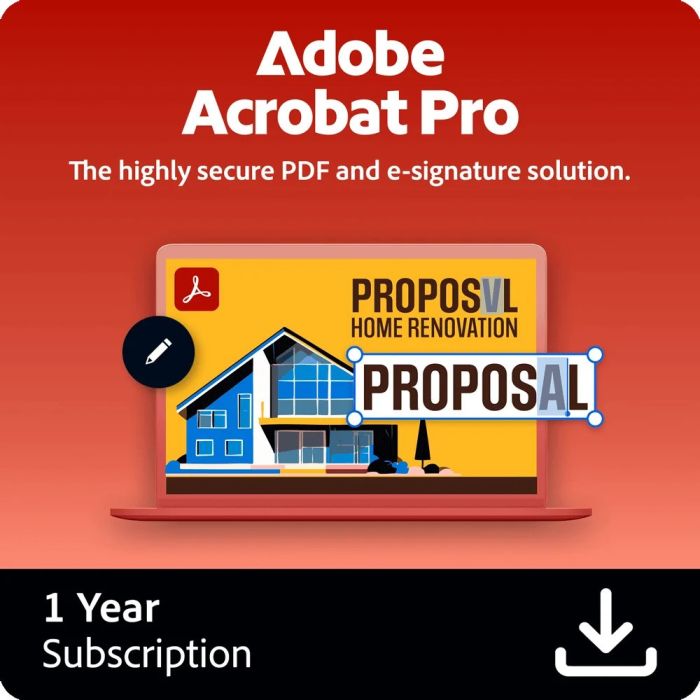
Adobe Acrobat Pro DC for teams Commercial Multilanguage 12 Months
by Adobe- Office suite
- License
- Language version: Multilingual
- 1 license(s)
- 1 year(s)
- Download
- Obročno plaćanje Obročno kartično plaćanje bez kamata 2-12 rata putem Visa Classic kartica u izdanju UniCredit Bank. Ostale načine plaćanje provjerite na linku: Načini plaćanja.
- Brza dostava Za sve narudžbe unutar BiH zaprimljene do 14h dostava će biti izvršena sljedećeg radnog dana. Više detalja provjerite na linku Načini dostave.
- Kontakt Mail: info@aviteh.ba - Telefon: 033 24 67 67 - Adresa poslovnice: Malta 29, Sarajevo
Sadržaj pakovanja
- Adobe Acrobat Pro DC for teams Commercial Multilanguage 12 Months
Acrobat Pro for Teams is a powerful PDF and e-signature solution designed for businesses and collaborative work environments. It enables teams to create, edit, convert, and securely share PDF documents across devices and platforms. With integrated tools for commenting, reviewing, and tracking document workflows, team members can collaborate efficiently in real time. Acrobat Pro for Teams also includes advanced e-signature capabilities, enabling legally binding digital signatures.
With Adobe Acrobat Pro DC, you can continue your projects efficiently and seamlessly - no matter where you are or which Device you use. Whether you're in the office, on the road or working from home, collaboration is always up to date. Approving, reviewing and signing PDFs becomes a straightforward process. Thanks to real-time status tracking, you always have an overview, even after the document has been sent.
Smooth document revisions
Managing document revisions has never been easier than with Acrobat Pro DC. Create PDFs and get real-time feedback from your colleagues or clients. Each recipient receives a link to your file, which they can simply click to view and comment on the document. This efficient way of collaborating saves time and increases productivity.
Increased productivity with Adobe Acrobat Pro DC
Use your mobile Device as a fully-fledged work tool. The Acrobat Reader app for mobile devices is free and powerful, offering you a variety of tools to view, annotate, sign and share PDF documents from anywhere. With Acrobat Pro DC, you can extend these capabilities by editing, creating, exporting, organizing and linking documents directly on your tablet or smartphone - all on the go.
Increase efficiency with electronic signatures
Increase efficiency in your day-to-day work with the ability to fill out and sign PDF forms directly on your favorite Device. Adobe Acrobat Pro DC allows you to collect signatures, track progress and automatically archive documents - all easily and without the hassle of paper documents.
The advantages of the Adobe Document Cloud
The Adobe Document Cloud ensures that your company works 100% digitally. In an ever-changing world of work, where employees work globally and customers demand ever faster and smoother communication, Acrobat Pro DC is the ideal solution. With Adobe Acrobat Pro DC and Adobe Sign, you can prepare your company perfectly for the new requirements of the modern working world.
| System requirements | |
| Windows operating systems supported | Yes |
| Mac operating systems supported | Yes |
| License | |
| Type | Office suite |
| Software type | License |
| License quantity | 1 license(s) |
| Language version | Multilingual |
| License level | 1 |
| License level purchase required | 1 - 9 license(s) |
| License term in years | 1 year |
| Features | |
| Distribution type | Download |
| Features and functions | |
| Create PDF files and export them for Word, Excel or PowerPoint | ✓ |
| Edit text and images in PDF documents and rearrange or delete pages | ✓ |
| Create, fill out, sign and send forms | ✓ |
| Merge multiple documents and file types into one PDF file | ✓ |
| Send documents for signature and track the status in real time | ✓ |
| Make PDF files more secure with passwords | ✓ |
| Use advanced editing options on tablets and smartphones | ✓ |
| Identify differences between two versions of a PDF document | ✓ |
| Convert scanned paper documents into editable, searchable PDF files | ✓ |
| Permanently delete confidential information in PDF documents | ✓ |
| Check and correct PDF files according to accessibility and ISO standards | ✓ |
- Novo
- Novo
- Novo
- Novo
- Novo

- Novo
- Novo